AGIGO DIALOG DESIGNER
Advanced autonomy.
Total control.
Made easy.
Turn your business requirements into high-agency AI agents that autonomously handle complex customer interactions across phone calls, emails, and text channels. Natural, multilingual, and governed by your instructions, business rules, and company policy at every step.
No engineering skills required.

×

Business-defined logic. Assured execution.
Describe what your agent should achieve and the rules it must follow. AGIGO translates your requirements into explicit decision logic. The AGIGO Engine enforces that logic throughout the interaction, giving you total behavioral control and 100% execution assurance.
Natural conversations. Deterministic decisions. Fully traceable actions.
Create powerful agents for real enterprise work.
Build high-agency agents that complete complex customer workflows, follow your instructions, rules, and policy, and work across languages and channels. AGIGO makes these capabilities easy to design, without engineering skills.

High-agency execution
Complete complex customer workflows.
100% execution assurance
Your instructions, rules, and policy govern.

Instant language deployment
Reach customers across channels and languages.
Your expertise is the starting point
A clear idea, a working template, or existing business materials. Choose the starting point that fits your needs, and let AGIGO help turn it into a capable enterprise agent. Create a working agent in minutes, then shape it for production.

Start from scratch
Describe the agent's role, objectives, and business requirements in plain language. Build around the way your enterprise works.
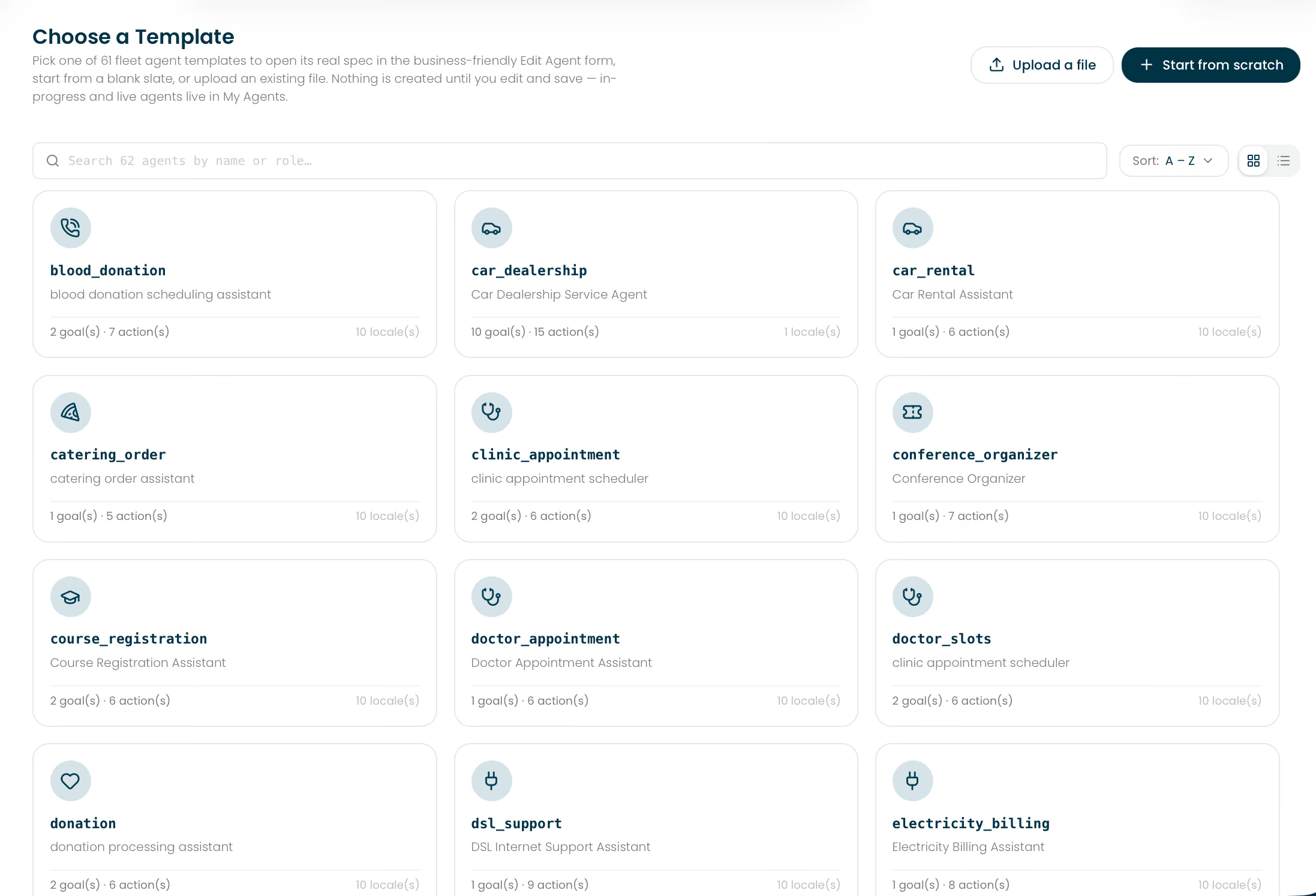
Choose a template
Start with a working agent for your industry and use case. Adapt its purposes, actions, and rules to your business.
Upload your materials
Bring design documents, process descriptions, product information, FAQs, or transcripts. Ground the design in your requirements.
Define what great service looks like
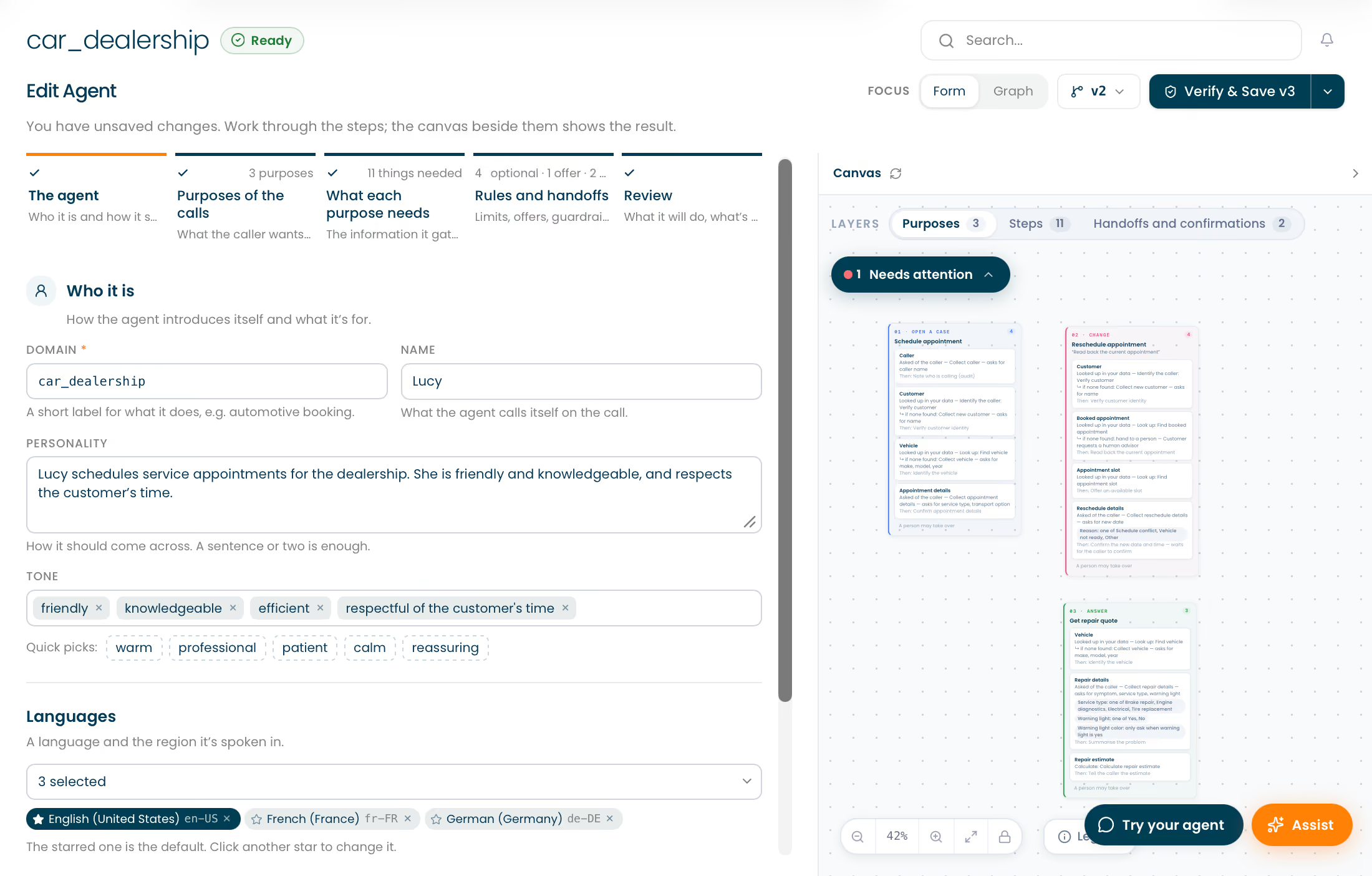
Shape your agent in five simple design steps. Describe the experience you want, the work to complete, and the boundaries to respect. AGIGO builds the underlying structure as you design.
1
Identity
Set personality, tone, languages, and how conversations begin and end.
2
Purposes
Define the customer requests your agent should handle and the outcomes to achieve.
3
Information and actions
Specify what to ask, retrieve, calculate, confirm, and act on.
4
Rules and handoffs
Apply company policy, conditional offers, guardrails, and escalation paths.
5
Review
Check the intended behavior, review findings, and save a version for testing.
Business knowledge becomes agent capability
Goals, information, actions, and policy come together in one inspectable design. You shape the behavior; AGIGO creates the structure.
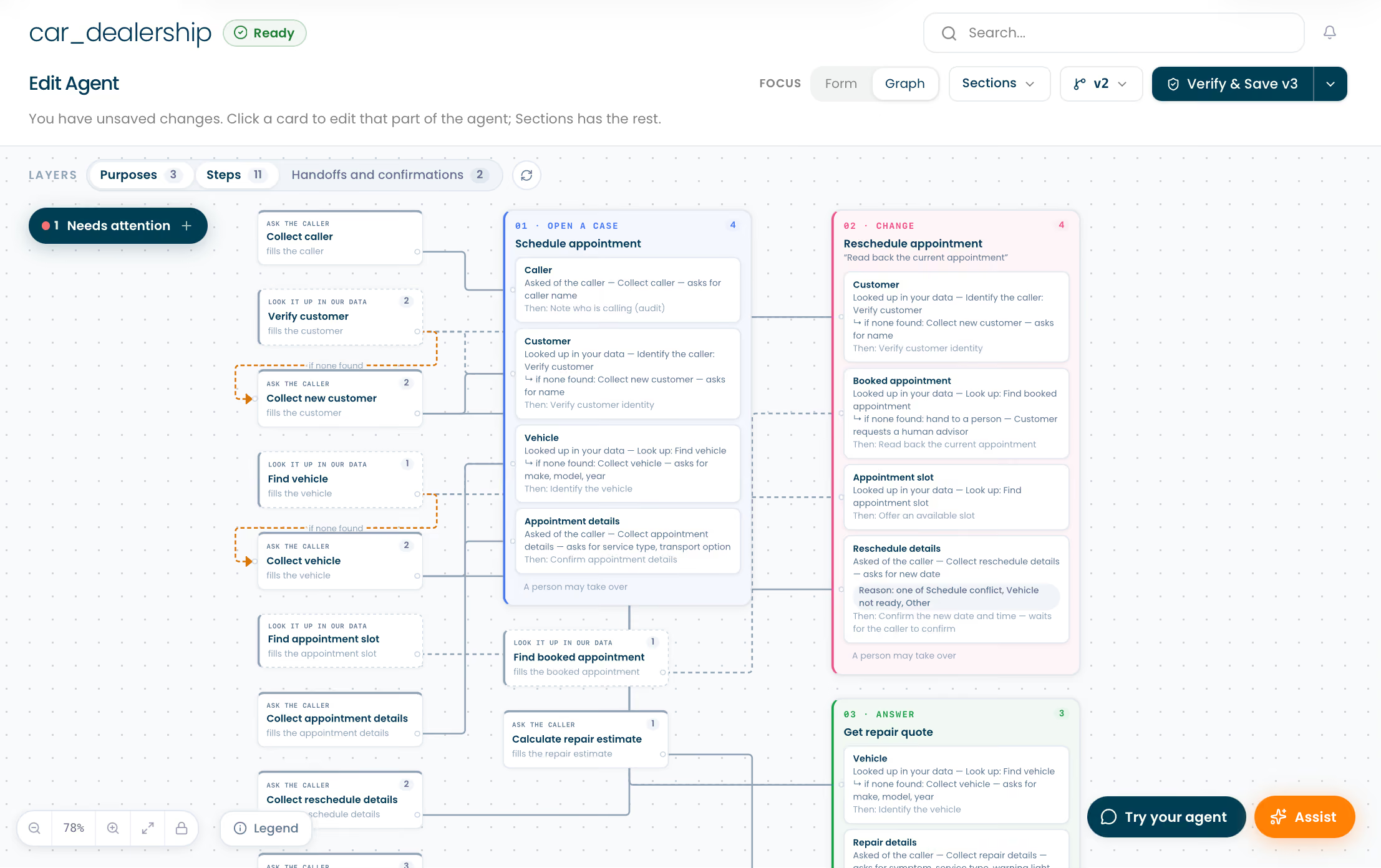
See the whole design. Shape every detail.
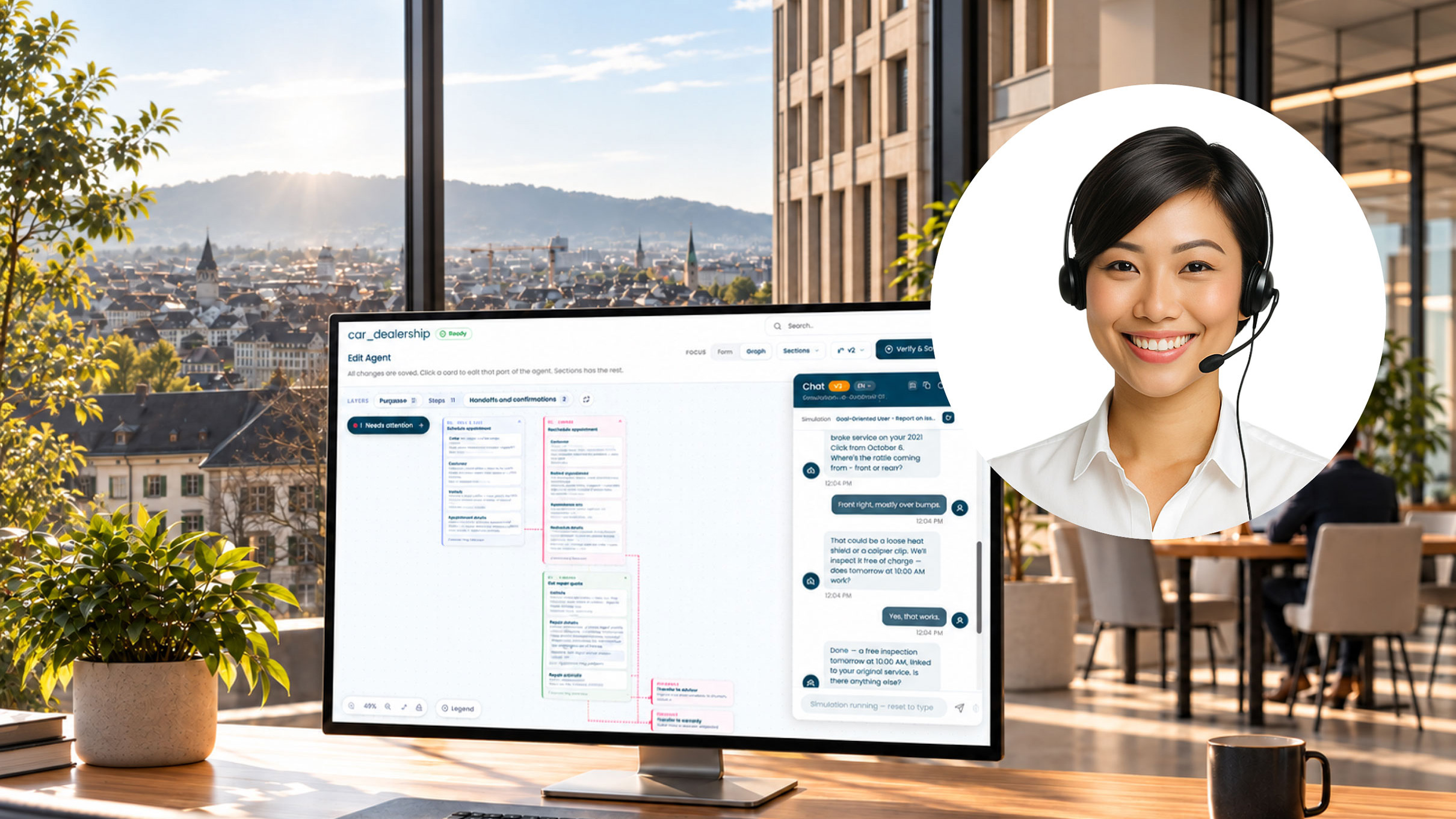
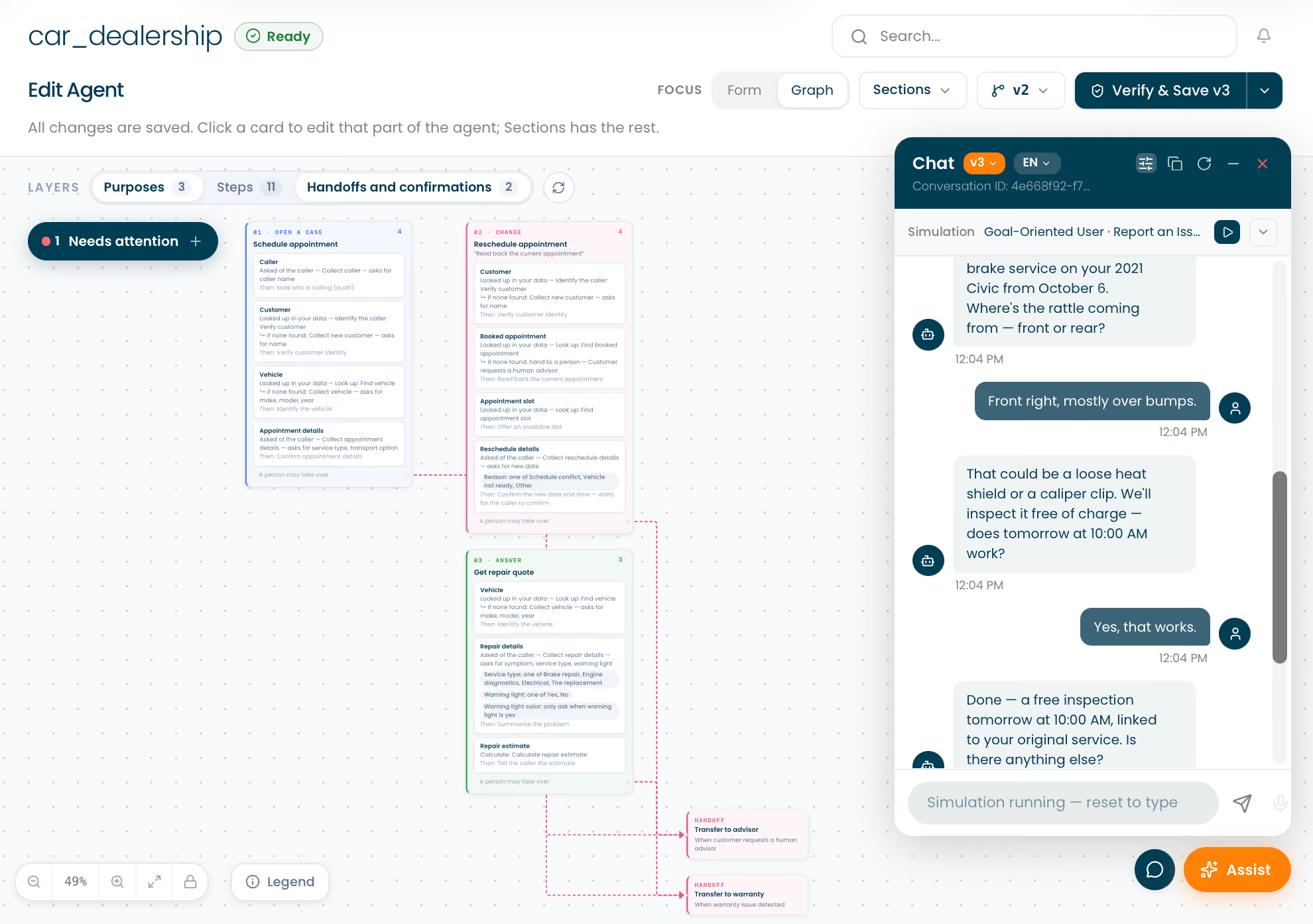
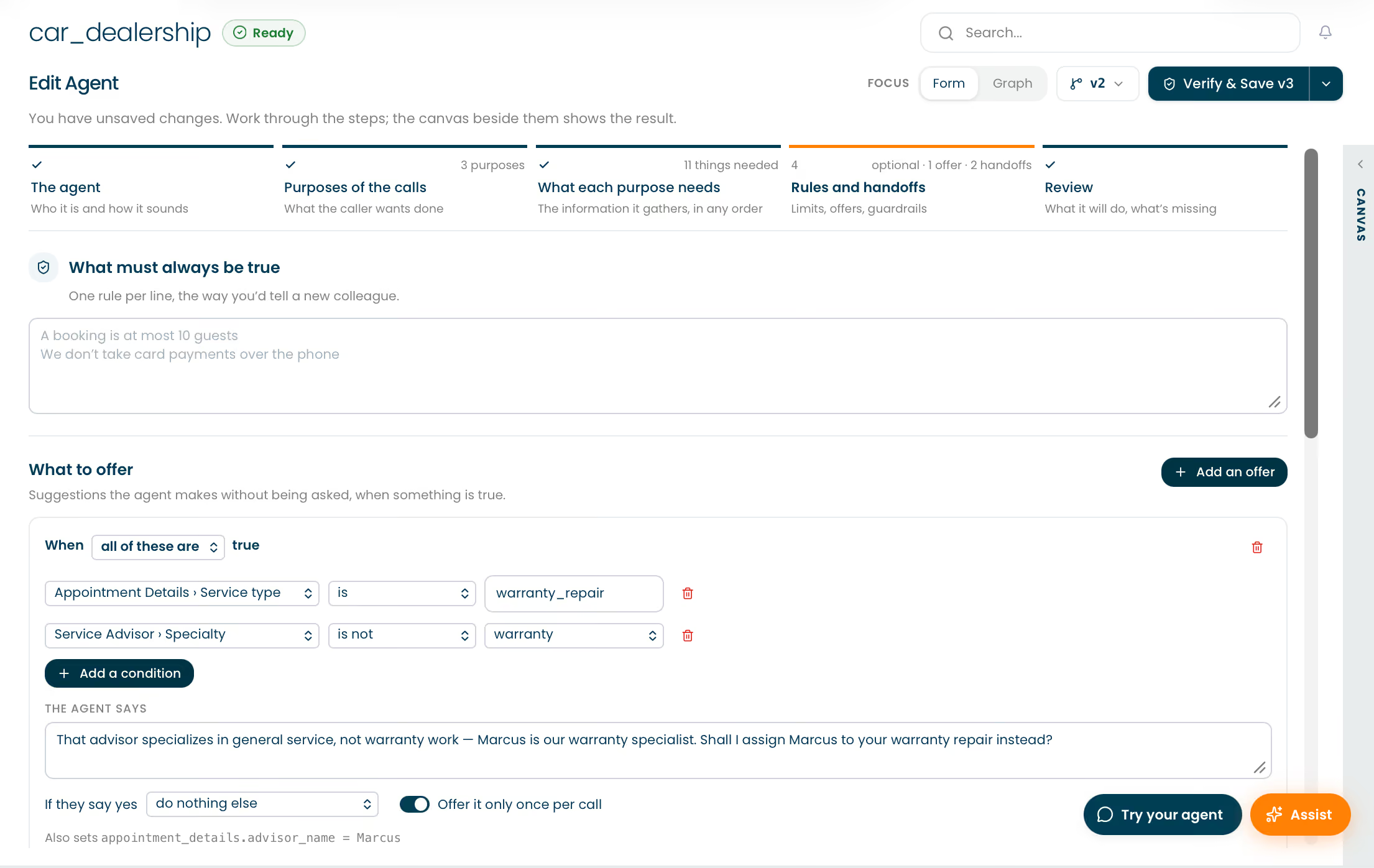
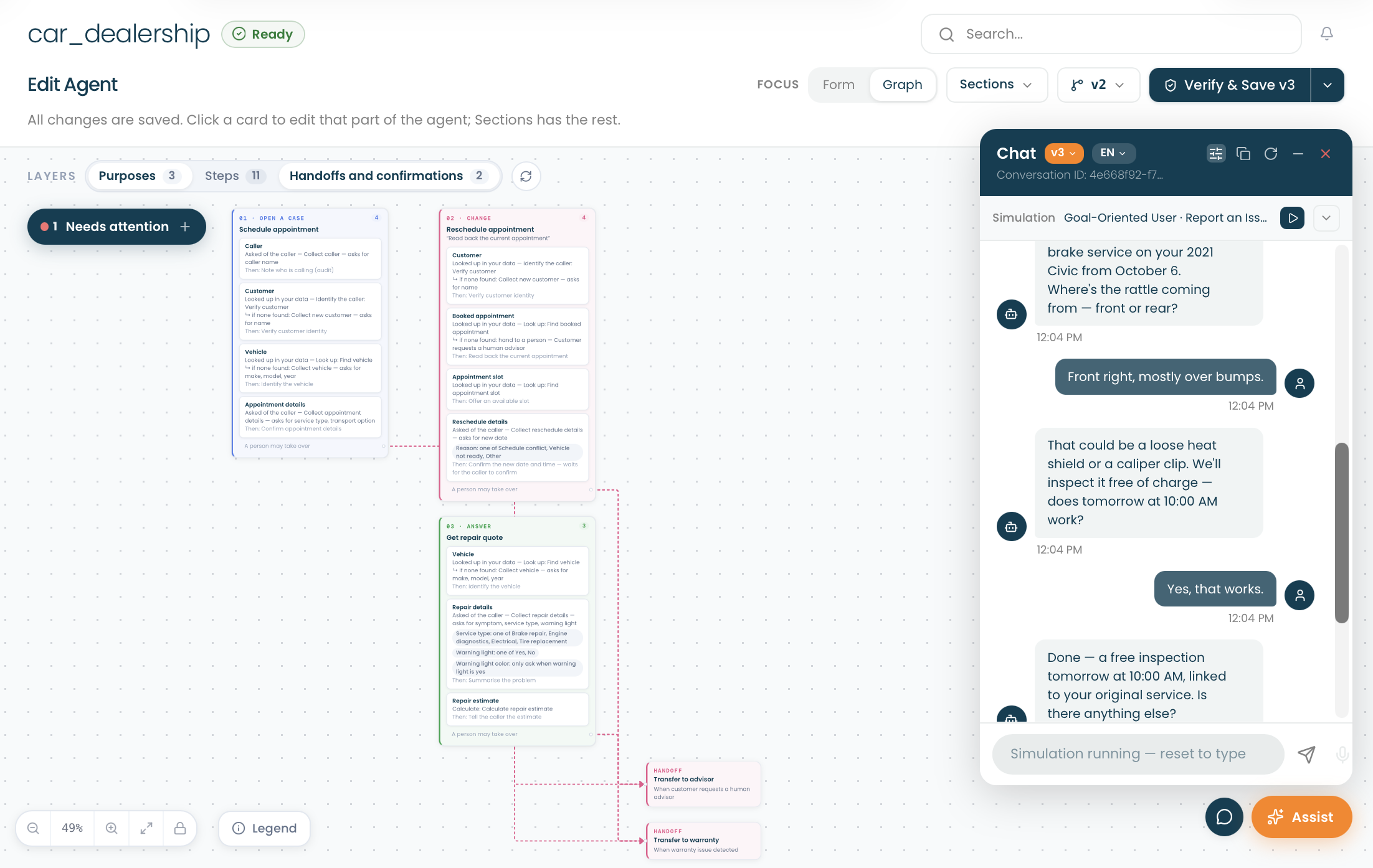
Move freely between guided forms and the visual canvas. Both views edit the same agent. Inspect purposes, information, actions, conditions, and connections, then select a card to refine the corresponding part of your agent.
Give your agent agency. Define its authority.
Set the objectives your agent can pursue and the conditions under which it may act. Specify what must be verified, which information it may use, what requires confirmation, and when control should pass to another agent or a person.
Your rules govern decisions
Business decisions follow explicit facts, rules, and logic. The agent's natural conversation stays aligned with your approved processes.
Your policies govern behavior
Define sensitive-data handling, required confirmations, conditional actions, and responses when information is missing or a lookup fails.

Your enterprise controls execution
Authorized requests pass through the Data Access Layer. Your enterprise systems execute and store verified transactions.
Natural communication. Deterministic execution.
AGIGO separates communication from decision-making. LLMs handle natural language; the AGIGO Engine makes decisions from verified facts and enterprise-defined rules. For the same verified inputs, rule version, and relevant system state, it produces the same decision.

Natural communication
LLMs understand and respond


Deterministic decisions
Engine applies facts and rules
Controlled execution
DAL + enterprise backend
Advanced AI co-design.
Every change under your control.
AGIGO Assist is your advanced AI co-designer, working alongside you throughout the agent design process. It answers questions, identifies issues, and proposes concrete improvements it can implement with your approval.
Built-in checks surface missing information, conflicting rules, unused data, missing confirmations, and promises the agent cannot fulfill. Deeper critique examines the customer's experience, helping you improve clarity, flow, and efficiency.

Ask in plain language
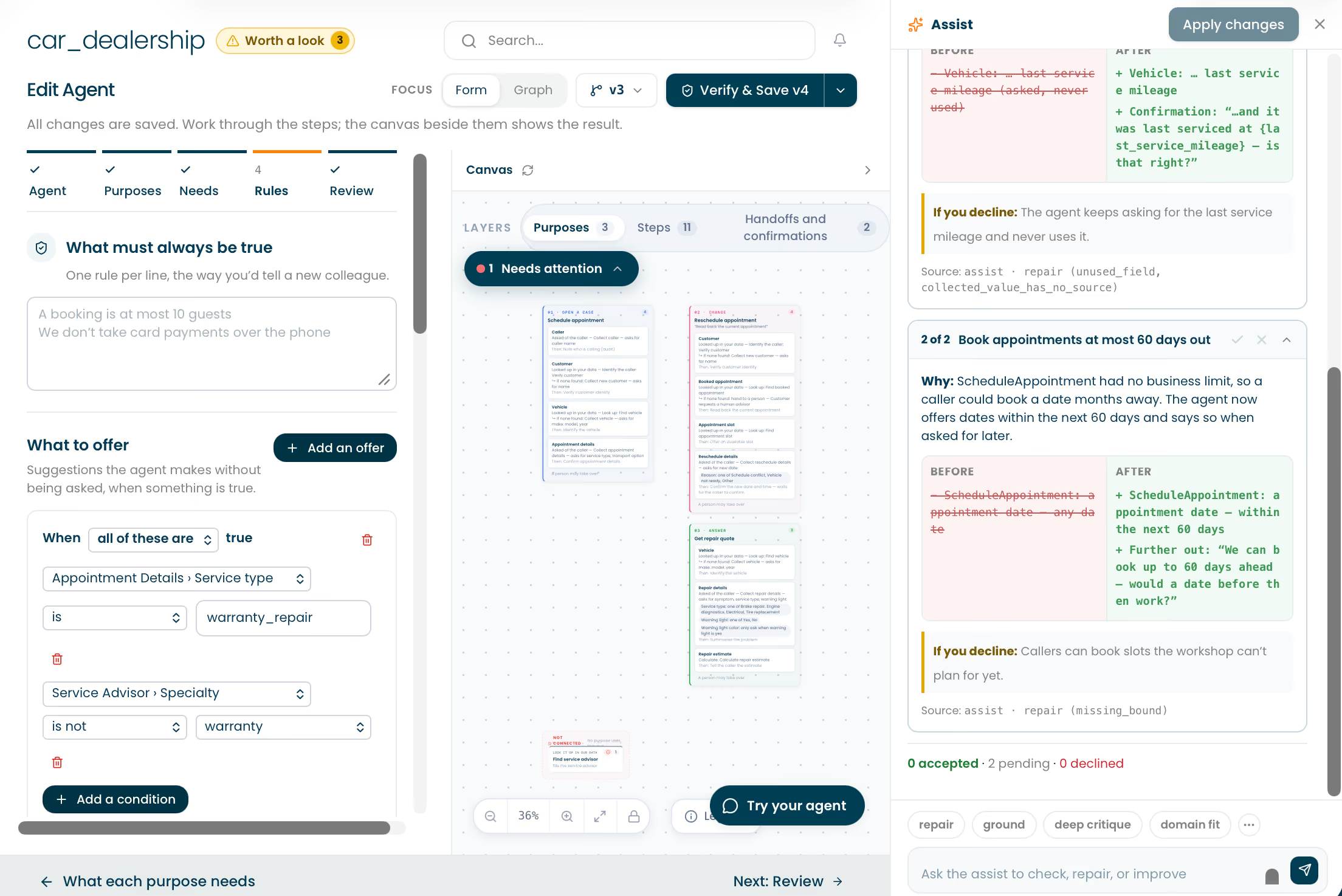
Describe a change, ask a question, or choose a focused action: repair, ground, deep critique, or domain fit. Assist helps turn your intent into specific improvements.

See every change first
Understand why a proposal matters, compare the before and after, and see what happens if you decline. Review the intended behavior before deciding.

Approve one by one
Accept or decline each proposal. What you decline remains exactly as it is. Apply the changes you approve, with a record of every decision.
Know the source
Every proposal identifies its source: AGIGO's built-in checks or an optional independent model critic you choose to add. You decide which improvements to implement.
Speak to your agent instantly.
Feel how naturally it engages.
Start a voice or text conversation instantly and experience your agent as your customers will. Run realistic simulations across customer personas, goals, and scenarios, then refine the experience before deployment.

Try a saved version live
Test the conversation, inspect how it responds, and refine its wording.
Explore varied customer situations
Simulate goal-focused, exploratory, or frustrated customers, including changes and exceptions.

Review and improve
Revisit test conversations, compare versions, and use Assist to implement approved improvements.
Keep designing while integration moves forward
AGIGO maps the integration points your agent needs as you design. Use generated or uploaded mock data to build and test realistic interactions while your IT team connects enterprise systems through the Integration Suite.
Ground in enterprise data
Connect customer records, booking systems, product data, and other authorized sources through controlled access.

Handle lookups and exceptions
Define what the agent should do when data is found, missing, or temporarily unavailable.

Handoff with continuity
Route to people, specialist AI agents, or business functions by time and conditions, with optional context preservation.
Build once. Extend your reach instantly.
Deploy your agent across the languages and channels your customers use. Roll out new products, services, and campaigns with instant language adaptation while keeping business logic and company policy consistent.
Phone calls, emails, and text
Deliver one continuous customer experience with context preserved across touchpoints.

Natural language flexibility
Serve customers in their preferred language, including mid-session language switching.

Consistent enterprise behavior
Carry the same business rules, authorized actions, and controls across every deployment.
From design to live deployment.
With control at every step.
Save numbered versions, compare changes, and restore earlier designs. Progress through development, staging, and production with quality validation and end-to-end integration testing before release.
Design and version
Keep drafts and saved versions, and understand what changed.

Validate and release
Test the conversation and connected workflow before production.
Monitor and improve
Maintain visibility and control across live conversations, then refine your agents.
Build, connect, and deploy.
One seamless experience.
Dialog Designer brings your business requirements to life. The complete proprietary AGIGO platform provides the intelligence, understanding, voice, and enterprise connections that make those agents ready for demanding real-world work. Its unified architecture delivers human-like conversations with ultra-low, consistent latency.

Unified AI Core
Natural communication, deterministic decisions, and assured execution.
Comprehension Lab
Improve understanding of your industry's terminology and customer expressions.

Voice Hub
Choose or create the right voice, then refine its pronunciation and delivery.

Integration Suite
Connect enterprise systems, data, and telephony through controlled integrations.
Own what you build.
Scale with confidence.
Your agents, data, workflows, and integrations remain under your ownership and control. Choose the deployment model and commercial foundation that fit your enterprise.

Enterprise AI sovereignty
Deploy the complete platform on-premises, including fully air-gapped operation, with no external AI processing services required. Hybrid and AGIGO-managed isolated environments are also available.

Token-free economics
Build with predictable pricing tied to tangible business drivers such as calls and text sessions. Multi-year price guarantees give enterprises and partners control over costs and predictable ROI.

Experienced Conversational AI team
Built by a team with decades of conversational AI experience and proven success deploying autonomous agents for complex, multi-turn customer interactions in high-volume enterprise environments.
A few practical answers
Do I need engineering skills to design an advanced agent?
No. Define the agent's identity, purposes, information, actions, rules, and handoffs in natural language. Guided forms, the visual canvas, and AGIGO Assist help you build and refine the design.
Can I use our existing processes and design documents?
Yes. Upload relevant materials such as design documents, process descriptions, product information, FAQs, and transcripts. Use them to ground the agent in your business requirements.
Can agent design begin before our systems are connected?
Yes. Generated or uploaded mock data lets you build and test while integration work proceeds. Your IT team can connect the real systems through AGIGO's controlled integration framework.
How do autonomous agents stay aligned with our rules?
AGIGO turns business requirements into explicit decision logic, enforced by the AGIGO Engine. Verified facts and enterprise-defined rules govern decisions, while controlled integrations govern authorized actions.
Ready to take the lead in your industry?
AGIGO is seeking Voice AI builders and integrators ready to outperform the market with outstanding solutions, built on the Voice AI technology of the future.




Flora
AI Agent
How can I help you today?